


































6 Key Steps to an Effective Asset Tagging System


An effective asset tagging system pairs durable physical labels with asset tracking software so every piece of equipment carries a unique, scannable identifier. Poor tracking is expensive: an estimated 10% to 30% of a company’s fixed assets become untracked “ghost assets” (fixed-asset audit research).
This guide walks through the six steps to build an asset tagging system, from asset identification and unique ID assignment to choosing barcode or RFID tags, entering data and verifying it.
CAMCODE
Answer 5 quick questions about your environment, scan needs and volume. We will recommend the tag type that fits, then you can request free samples. Takes under a minute.
An asset tagging system is a method of labeling physical assets with unique identifiers, usually barcodes, QR codes or RFID tags and linking each tag to an asset tracking database. The system pairs a durable physical label with software that stores each asset’s location, purchase date, cost, maintenance history and owner.
Organizations use an asset tagging system to prevent loss, speed up audits, track depreciation and monitor real-time location across facilities. It replaces manual spreadsheets with scannable data capture, cutting human error and giving finance and operations a single verified record for every asset.
Asset tagging is the process of affixing identification tags or labels, also known as asset tags, to assets. Asset tagging is used for both fixed and moveable assets to provide a way to identify individual assets throughout their useful life.
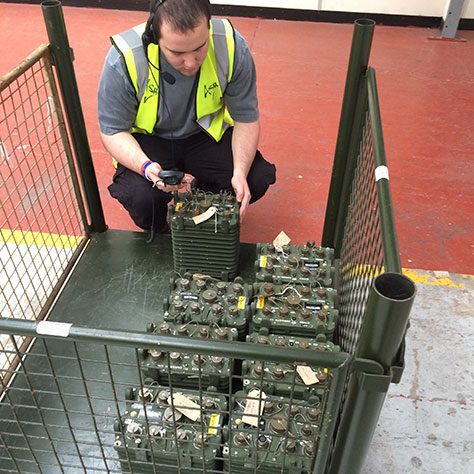
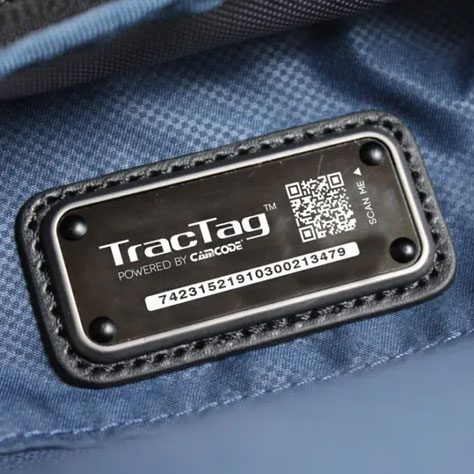
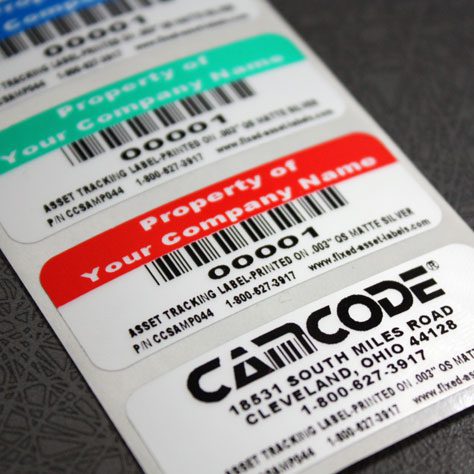
Typically printed with barcodes, asset tags are scanned using a handheld barcode reader or smartphone equipped with a barcode scanning app, allowing users to obtain and document data regarding an asset’s location, maintenance history, or other details.
Asset tagging is commonly used for inventory management, work-in-process (WIP) applications, and for managing maintenance and repair processes with CMMS solutions. Asset tagging is used across many industries, from healthcare to education, to warehousing, to defense, utilities, and manufacturing.
Asset tagging allows companies to assign a unique identifier to each asset. Printed with barcodes, asset tags eliminate the need for manual data entry, enabling accurate and efficient inventory tracking and streamlined documentation of activities such as maintenance and repairs.
By tracking each asset’s location, maintenance history, usage, and other details, companies can simplify record-keeping and streamline reporting for accounting and tax purposes. For example, complete utilization data makes it easy to calculate depreciation for equipment assets.
Poor asset visibility is not a small problem: an estimated 10% to 30% of a company’s fixed assets become untracked “ghost assets” (fixed-asset audit research), which inflates property taxes and insurance on equipment a business no longer owns.
Some industries have regulations that stipulate the types of assets that must be tagged, the materials required for asset tags, and other asset identification requirements.
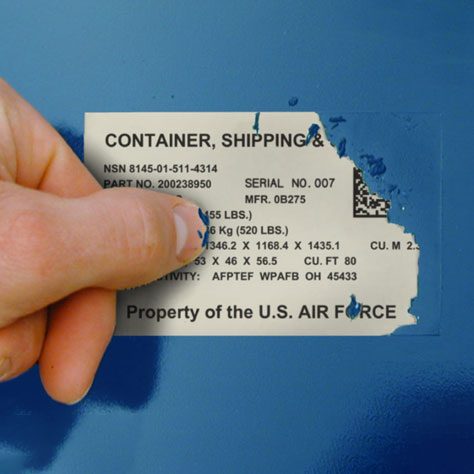
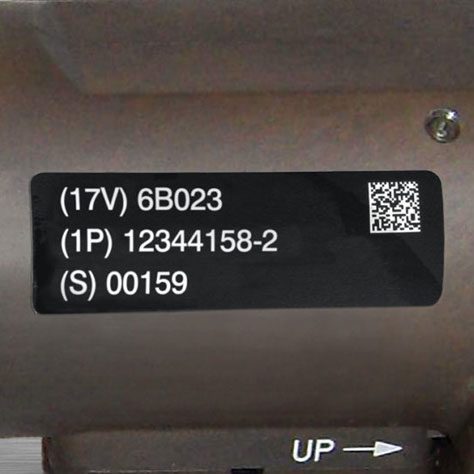
The defense industry, for instance, requires unique identification, otherwise known as UID or IUID, under MIL-STD-130. Asset tags used for defense applications, known as UID labels, must meet strict criteria, including the ability to withstand harsh environmental conditions and remain readable throughout the lifespan of the asset. In the defense industry, asset tagging systems provide a valuable tool for tracking military property throughout its lifecycle, from manufacture to distribution and eventual disposition.
The data collected for individual assets enables companies across all industries to make smarter, data-driven decisions, such as determining whether investing in new equipment is a more financially sound decision than repairing a piece of equipment that’s nearing the end of its expected usable lifespan. This is why its important to make sure they’re properly formatted.
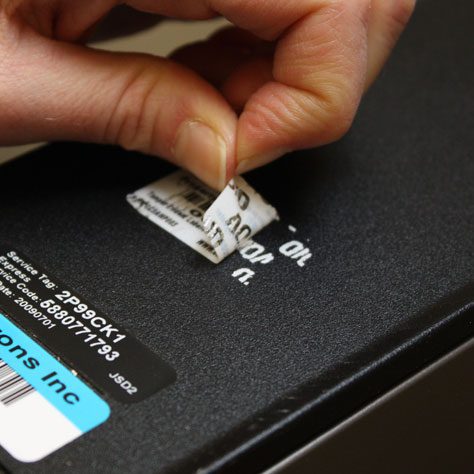
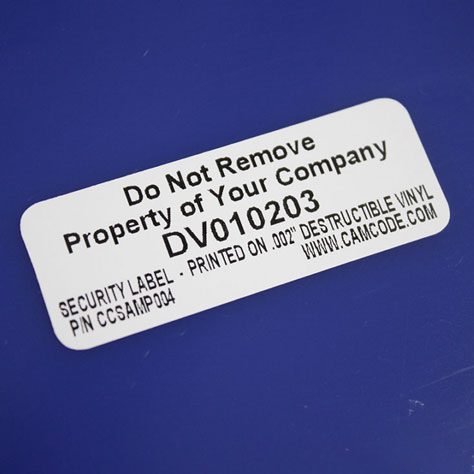
Because each item is affixed with a unique identifier and its location history documented, asset tagging can also help to deter theft and loss. Certain types of asset tags, such as tamper-evident barcode labels, add an additional deterrent to discourage theft.
The stakes go beyond lost assets. Poor asset visibility feeds unplanned downtime, which is now a headline cost for industry:
“The high cost of downtime increasingly constrains industrial businesses in an already uncertain landscape. This encompasses both direct costs like wasted production or spare parts, and indirect costs like reputation and morale.”
– Jim Davison, National Membership Director, Make UK, in the Siemens True Cost of Downtime 2024
Accurate asset and maintenance records, built on consistent tagging, are the first defense against that downtime.
Asset tags are the foundation of an asset tracking system, providing a reliable method for identifying individual assets and an efficient means of capturing data. Without asset tags, information on the asset’s location and history must be documented manually, a process that’s rife with human error and prone to inaccuracy.
The principle behind asset tagging predates the barcode label itself:
“If we had computers that knew everything there was to know about things, using data they gathered without any help from us, we would be able to track and count everything, and greatly reduce waste, loss and cost.”
– Kevin Ashton, who coined the term “Internet of Things,” RFID Journal, 2009
That is exactly what an asset tag does at the item level: it lets software track and count each asset without manual data entry.
Assets are more likely to be misidentified when relying on manual processes, as well, resulting in unreliable data.
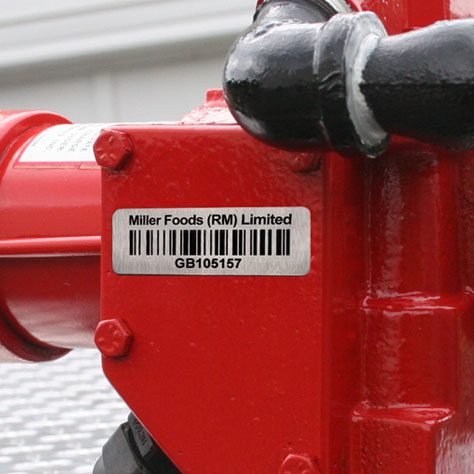
Affixed to assets using permanent, pressure-sensitive adhesive or mechanical attachments, asset tags are meant to remain attached and readable throughout the usable life of an asset. Because asset tags are used to mark assets that can remain in use for decades, it’s crucial to consider the operating environment when choosing asset tags.
While barcodes can be printed on peel-and-stick labels, these paper-based labels aren’t durable enough to withstand exposure to rain, snow, and UV over several months or years. Asset tags that fall off, fade, or otherwise become unreadable must be replaced, resulting in higher costs throughout the life of the asset compared to choosing a durable asset tag that can withstand the asset’s typical environmental conditions from the start.
The cost of an asset tagging system has two parts: the physical tags and the tracking software.
Basic barcode or QR labels are the most economical option, while durable metal or foil asset tags built for harsh environments sit at the premium end because they are engineered to stay readable for the life of the asset. Passive RFID tags fall in the low-to-moderate range, and active RFID tags carry a battery and cost significantly more per tag.
For pricing tailored to your assets and volumes, request a quote.
Asset tracking software ranges from free tiers to $30 to $200 per user per month, plus one-time barcode scanner hardware of $100 to $500. A small business tagging 500 assets can start for under $1,000, while enterprise RFID deployments scale into the tens of thousands.
The best asset tracking software for an asset tagging system depends on scale and asset type.
Popular platforms include AssetTiger, Sortly, Snipe-IT and Wasp AssetCloud for small to mid-size fixed asset tracking and enterprise systems like IBM Maximo and SAP for maintenance-heavy operations.
Look for barcode and RFID scanning, a mobile app, custom fields, depreciation tracking, audit trails and integration with accounting or CMMS tools.
Because the tag and the software are chosen independently, Camcode’s durable asset tags work with any of these systems, so you can standardize on the label and switch software later without re-tagging.
An asset tagging system is a method of labeling physical assets with unique identifiers (barcodes, QR codes or RFID tags) and linking each tag to asset tracking software. Below is an overview of the essential steps in developing one.
| Step | Description |
|---|---|
| 1. Asset identification | Identify all physical assets that need to be tracked and tagged, includes both fixed and movable assets. |
| 2. Assign a unique identification number | Assign a unique identification number to each asset for accurate tracking. |
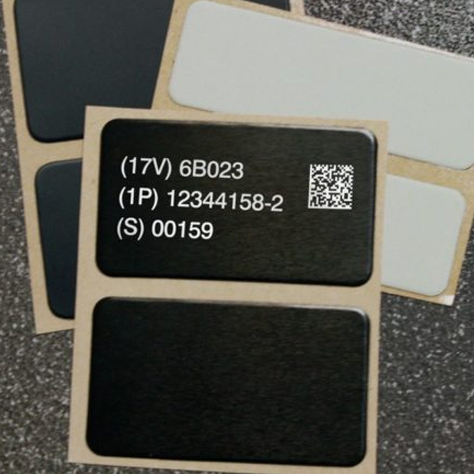
| 3. Choose a type of label | Determine the appropriate asset tags or labels to affix to each asset, typically printed with barcodes for easy scanning. |
| 4. Enter data in the asset tracking system | Data entered into an asset tracking system would include asset identification number, date of acquisition, value and more |
| 5. Tagging the asset | Asset tagging attachment methods will vary based on the type of equipment or asset and the label type |
| 6. Data verification | Verify and connect the asset tagging system; integrate it with other systems like accounting, inventory, and work order management to streamline data flow. |
Here’s what you need to know to implement a streamlined asset tagging process.
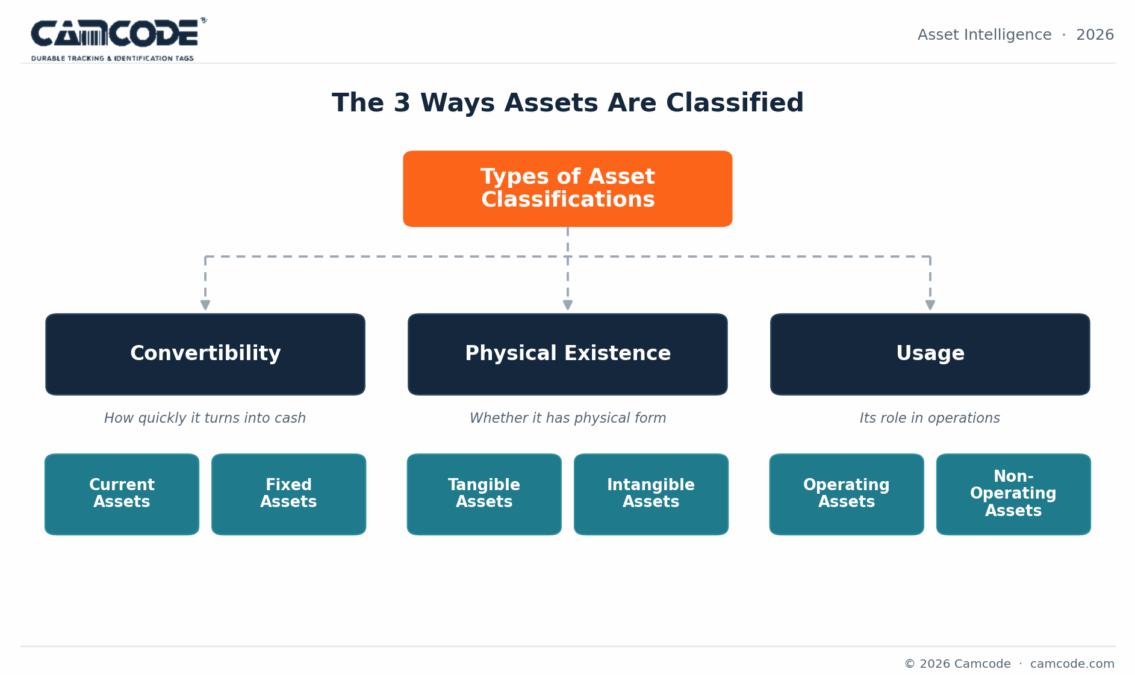
If you’ve already implemented an asset tracking system, you likely have a classification system, or schema, for assets including asset categories and types. If you’re implementing an asset tracking system for the first time, creating this categorization system is an essential step to ensure consistent categorization over time. Assets may be grouped by department, cost, use, or any number of other variables.
You may want to choose a categorization method that aligns with the process used to categorize assets for accounting purposes. Even though your accounting system includes both tangible and intangible assets and your asset tagging process relates only to tangible assets, ensuring that your physical asset classification matches your accounting methodology allows for simpler integration and reporting.
Here are a few examples of physical asset categories:
Beyond categorizing assets and classifying them by type, step two in developing an asset tagging system is that each asset should have a unique identification number for accurate tracking. This unique ID distinguishes individual assets from other assets of the same category and type, making it easier to manage processes such as reordering, maintenance, and accounting.
Unique identification numbers may contain coding that indicates an asset’s type or department of ownership. For example, assets controlled by the HR department may contain a prefix such as 013, while assets controlled by accounting have a prefix of 014. This method makes it easy to determine important information about an asset simply by looking at the tag, while more detailed information is a barcode scan away.
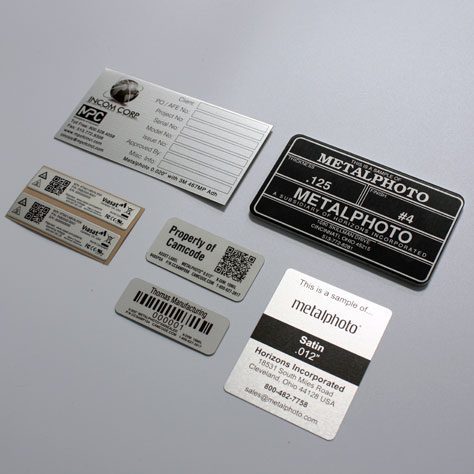
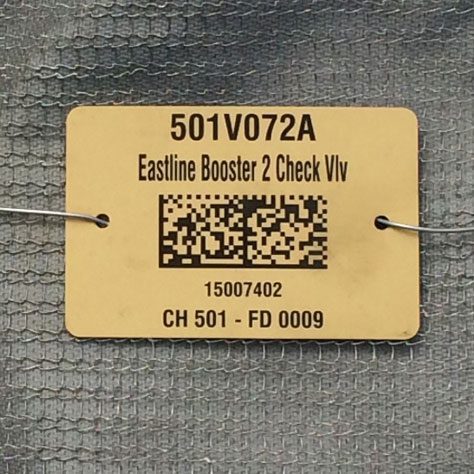
Asset labels and tags are not a one-size-fits-all solution. There are a variety of asset tags designed to suit specific applications, such as durable asset tags for assets that may be exposed to harsh conditions or security asset tags for high-value assets that may be subject to theft, unauthorized transfer, or tampering.
Permanent equipment labels are ideal for automating data collection for the life of an asset. Consider the asset’s category and type, as well as the environmental conditions the asset will be exposed to.
Ask the following questions such as:
All of these factors should be weighed when determining the best asset label for each asset.
The fourth step in building an asset tagging system is that assets should be entered into the system immediately after they’re received. To streamline this process, it’s helpful to have written process documentation outlining when assets should be tagged, how they’re categorized, what types of asset labels to request for certain asset types, and procedures for data entry.
For example, the University of Washington has a Tagging Procedure Document that provides specific information on the process flow. Data entry requirements may vary by asset category and type.
In general, data entered into an asset tracking system includes:
Attachment methods vary based on the type of asset and label type. Some asset tags use pressure-sensitive adhesive, while others have mechanical attachments. Some asset tags offer both attachment methods.
If you have the option of adhesive or mechanical attachments, choose the method most appropriate for the asset or the method required per company policy.
Verify assets from a minimum of two data points, such as the barcode and the item’s serial number. When disposing of assets, this step is crucial to ensure an “accurate and verifiable chain of custody,” which can help to mitigate data breaches (particularly for the disposal of IT assets) and also help to maintain compliance with regulations.
Implementing a consistent asset tagging system and process flow ensures that all assets received by your company are consistently classified and tracked, making it easy to locate assets throughout the company, implement regular maintenance schedules, and maintain accurate record-keeping for auditing and accounting purposes.
Developing clear policies and procedures and training your team members on approved asset tagging procedures streamlines processes and can ultimately have a positive impact on your bottom line, allowing you to improve resource utilization, reduce unnecessary duplication of assets, and get more usable life out of your investments.
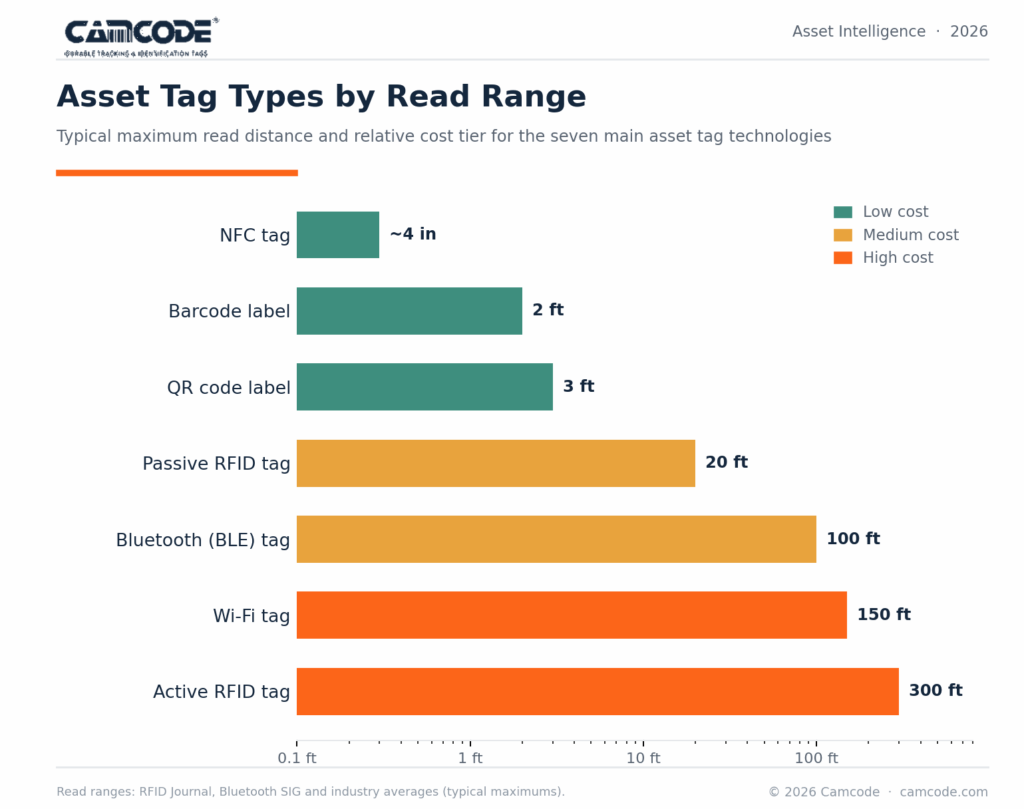
When it comes to an asset tagging system, tags come in six main types, chosen by scan range and environment.
An asset tagging system is only as reliable as the tags it runs on. The six steps here (identify the asset, assign a unique ID, choose the right label, capture the data, tag the asset and verify it) turn a pile of equipment into a searchable, auditable record.
The detail that trips up most rollouts is durability: a tag that fades or falls off erases the data behind it, so match the tag to its operating environment from day one instead of replacing it later. Start with a clear process, document it, and standardize on a label built to outlast the asset it identifies.
When you are ready to spec tags for your equipment, Camcode’s sales engineers can help you choose durable asset tags for your conditions.
Request free label samples and put them to the test before you commit.
The purpose of asset tagging is to assign unique identifiers to individual assets. Asset tags may contain varied information depending on the application, but most are printed with barcodes that users can scan for easy asset identification.
They’re used for the purpose of monitoring inventory, location tracking, maintenance management, check-in/check-out processes, and monitoring equipment performance.
Asset tagging offers numerous benefits to organizations. They improve documentation efficiency and accuracy by enabling users to scan a barcode to add or retrieve information about the asset, document maintenance activities, retrieve manufacturer information, access operating instructions, and more.
They can also help to improve asset utilization by supporting robust data collection about each asset’s usage or performance and support more effective inventory management best practices.
An example of asset tagging is an equipment tag that’s affixed to an HVAC unit. When the unit fails or begins to show signs of a potential failure, HVAC workers can scan the unit’s asset tag to access information about its maintenance history, its manufacturer, the age of the unit, and even what suppliers to order replacement parts from.
Assets are tagged by affixing a label or attaching a tag to the asset that includes a unique identifier for the asset (such as a serial number) and a barcode that is associated with the asset’s information in an asset tracking system.
Asset tags typically have a permanent pressure-sensitive adhesive to bond with a variety of surfaces or holes for mechanical attachment.
The best way to tag fixed assets is by working with a trusted asset tag manufacturer like Camcode to identify the best asset tags for your applications.
Camcode offers durable asset tags and labels that can withstand harsh environments or exposure to outdoor elements. Choosing an asset tag that’s durable enough to withstand the asset’s typical operating conditions ensures that your asset tags remain readable throughout the asset’s lifespan.
The main types of asset tags include:
The choice of asset tags depends on tracking range needed, environment they’re used in, budget, and required features. Companies should choose asset tag types that meet their specific inventory tracking needs.
Our sales engineers are experts in automatic asset tracking, tagging and identification, and can answer all your questions. Get in touch now.
Lets Talk ›Enter your information and get a free checklist of the top questions to answer and tips to plan a successful asset tagging project for any asset management or tracking system implementation.